Modern Frontend Complexity: essential or accidental?
It was simple back then
What are the roots of this Complexity? How have we arrived here?
Once upon a time, at the dawn of the web, browsers and websites were simple. There were no apps really, but mostly static pages - collections of .html files sprinkled with some CSS for better look.
These websites were text-based for the most part, linking to other similar documents available on the World Wide Web. Everything was plain and simple; static documents, referring to each other.
Then slowly, step by step, more and more interactivity was added; first came forms and inputs, not long afterwards - JavaScript programming language (both in 1995).
At this stage, Complexity was still low. Web systems developed then consisted mostly of:
.htmldocuments and templates.cssfile or files- some
.jsscripts - HTTP servers to make these static files available and handle state altering requests from forms
- databases to store system's state
Crucially, the UI source code of these first websites and apps was mostly the same as the output files interpreted and executed in the browser - runtime target. Even with the use of PHP and templating languages/systems (like Mustache), it looked very similar to the target HTML files, displayed by the browser:
<h1>{{page.title}}</h1>
<div>
  <p>{{name.label}}: {{user.name}}</p>
  <p>{{email.label}}: {{user.email}}</p>
  <p>{{language.label}}: {{user.language}}</p>
</div>
<a href="/sign-out">{{sign-out}}</a>
A templating engine - just a library available in the server runtime/environment - turns this into a specific HTML page:
<h1>User Account</h1>
<div>
  <p>Name: Igor</p>
  <p>Email: [email protected]</p>
  <p>Language: EN</p>
</div>
<a href="/sign-out">Sign Out</a>
A little more complicated than static collections of .html documents, but still fairly straightforward. What has happened next?
Then came AJAX - weird acronym for Asynchronous JavaScript and XML. It brought a completely new possibility to update HTML document content in the background, asynchronously - without reloading the whole page. From this point onwards, more and more of websites functionality started to be delegated to increasingly complex JavaScript - especially for partial updates, triggered mostly by more sophisticated user interactions, to avoid full page reloads. Not long after that, the concept of Single Page Application (SPA) and first frameworks arrived: Backbone.js, Knockout.js and AngularJS (2010). In this model, the source code we work on is very remote from what finally lands in the browser environment. More elaborate abstractions came here as well - complexifying needed tooling as a result.
That is how, more or less, we ended up with today's Complexity - where most apps are built with React, Vue, Angular or Svelte, requiring a whole toolchain to build and develop, such as Vite or Webpack. How they work is inherently different from what browsers were designed to do.
Source Code vs Browser Runtime
As the gap between source code format and browser runtime has been growing - because of these newly discovered and adapted abstractions - more tools and of increasing complexity became essential to develop, build and deploy web applications.
Let's take a typical modern SPA - written in React, using TypeScript and Vite for development & building. To make it digestible and understandable by the browser:
- TypeScript must be transpiled/compiled into JavaScript - it is its superset and browsers do not know anything about it
- In our case, we also need to transform TSX to JSX - TSX is just a typed variety of JSX
- Take JSX files and turn them into JavaScript - browsers have no clue what to do about
.jsxfiles - It is an SPA with only one
index.htmlHTML file and potentially tens, hundreds or even thousands of small.jsfiles - for performance reasons, they should be packaged into a single.jsbundle (or a few ones). Since at least React as a dependency has to be available, it must be added to the resulting bundle as well - With the latter, there are mostly two additional optimizations: tree shaking and minification. Tree shaking takes dependencies and leaves in the resulting bundle only actually used source code, not all of it; minification on the other hand, removes unnecessary whitespaces, shortens variable names and so on to make the final
.jsfile as small as possible - while still keeping its functionality intact
On top of that, there might be additional steps:
- Post CSS processing - transforming CSS in various ways: adding vendor prefixes, allowing the use of not yet widely supported CSS features or CSS modules/scopes
- Polyfills and transpilers - as new proposals, specifications and versions of JavaScript (ECMAScript) are developed, it takes time to have them widely supported. Polyfills and transpilers close this gap - they make it possible to use new and not yet widely supported features of JavaScript by transforming our source code to a version that works in older runtimes (browsers) as well
As we can clearly see - that really is a lot! And of course, it would be highly impractical to write scripts performing all of these transformations; that is why we have build tools like Webpack, Turbopack and Vite. They of course introduce yet another dependency; something new to learn and master. But, we have gone so far away from what browsers are actually operating on at runtime, that they rather are necessary. One could make a very good case that it developed in this way purely for historical reasons, because of the browser limitations in the past (there were no native modules for a long time for example).
The current ecosystem complexity is rivaling Tower of Babel. I would then ask:
Can we start from scratch and figure out a much simpler approach, given how browsers have evolved in recent years?
What is essential
For most web apps, what today's users treat as given:
- instant load times
- native-like, smooth transitions between pages
- high degree of interactivity; most user actions should feel fast
- real-time validation and hints; especially for complex forms and processes
What programmers want:
- great developer experience - ability to quickly see and validate UI changes
- possibility of creating, sharing and reusing configurable UI components
- testability - how do we know whether it works?
- easy to introduce translations & internationalization
A simpler alternative
Here is an idea:
- UI mostly server-driven, server-side rendered with the use of HTMX
- Single Page Application - routing is provided by HTMX, out of the box
- HTML Web Components - for reusable and framework agnostic components. It is an approach where Web Components mostly provide behavior, not the structure - we will see how it works and what the benefits are below
- Mustache for server-side rendered HTML templates - implementations are available in pretty much all major programming languages
- TailwindCSS to make styling easier
- Simple scripts to bundle it all together and prepare a package for deployment
A fully working example is available in this repo. Let's go through the most important and interesting parts.
Server
In the example, I have written a server in Java, using Spring Boot framework; but, it could have been written in any other programming language and/or framework suited for web development. I call it a server, because in this approach, there is no frontend/backend distinction really; there is just an app, with views rendered mostly by the server, sprinkled with client-side JS here and there.
From various endpoints, rendered HTML pages or fragments are returned as:
@GetMapping("/devices")
String devices(Model model, Locale locale,
  @RequestParam(required = false) String search) {
  translations.enrich(model, locale, Map.of("devices-page.title", "title"),
    "devices-page.title",
    "devices-page.search-input-placeholder",
    "devices-page.search-indicator",
    "devices-page.trigger-error-button");

  enrichWithDevicesSearchResultsTranslations(model, locale);

  var devices = deviceRepository.devices(search);

  return templatesResolver.resolve("devices-page",
    devicesModel(model, devices));
}
Which, depending on the context:
- returns a full HTML page, if the page is loaded by the browser for the first time
- returns an HTML fragment, if we arrived at the
/devicesurl from some other place in the already loaded app
How do we know whether to return a full HTML page or fragment?
Thankfully, HTMX adds the hx-request header to each HTTP request it makes. So, if there is no hx-request header present in the HTTP request, our response is a full HTML page:
<!DOCTYPE HTML>
<html lang="en">

...

<body>

{{ page-specific-html }}

</body>

</html>
And if this is a subsequent request - clicking from one page to the next, without full page reload - the hx-request header is present and we return an HTML fragment:
{{ page-specific-html }}:

<div class="space-y-2 flex flex-col">
  ...
  <div class="cursor-pointer rounded border-2 p-0 flex">
    <span class="px-4 py-2 flex-1">9b0d5f33-6f9e-4aef-bb81-a57a045fb1aa: iPhone 13</span>
    <drop-down class="relative">
        <div data-drop-down-anchor class="absolute right-2 text-3xl">...</div>
        <div data-drop-down-options class="rounded border-2 whitespace-nowrap absolute mt-2 right-0 top-6 bg-white border rounded hidden z-99">
            <div class="p-2" hx-get="/devices/9b0d5f33-6f9e-4aef-bb81-a57a045fb1aa" hx-push-url="true" hx-target="#app">Details</div>
            <div class="p-2" hx-get="/buy-device/9b0d5f33-6f9e-4aef-bb81-a57a045fb1aa" hx-push-url="true" hx-target="#app">Buy</div>
        </div>
    </drop-down>
  </div>
  ...
</div>
This is how it looks:
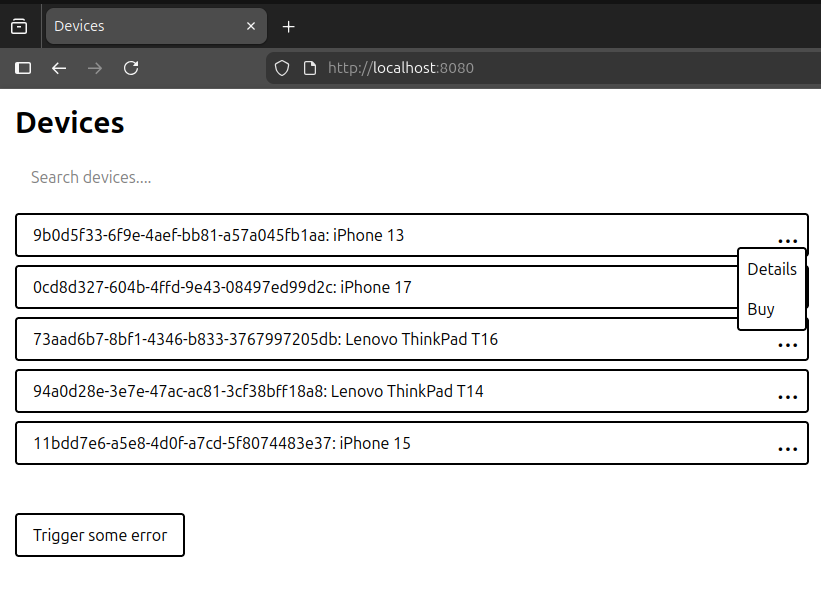
A few interesting things to note here:
- various
hx-attributes (HTMX):hx-get,hx-push-urlandhx-target - custom
<drop-down>element (Web Component) - lots of Tailwind CSS classes
Let's start with hx- mechanics.
HTMX
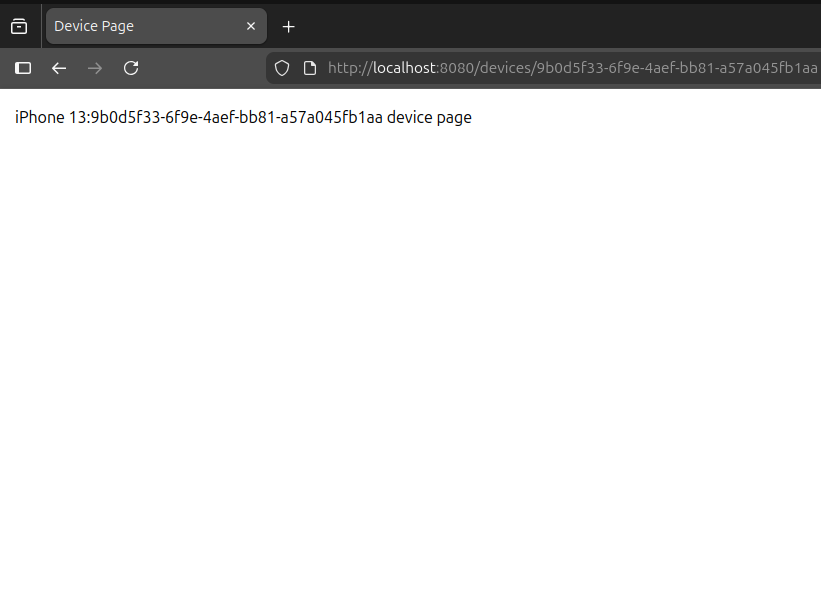
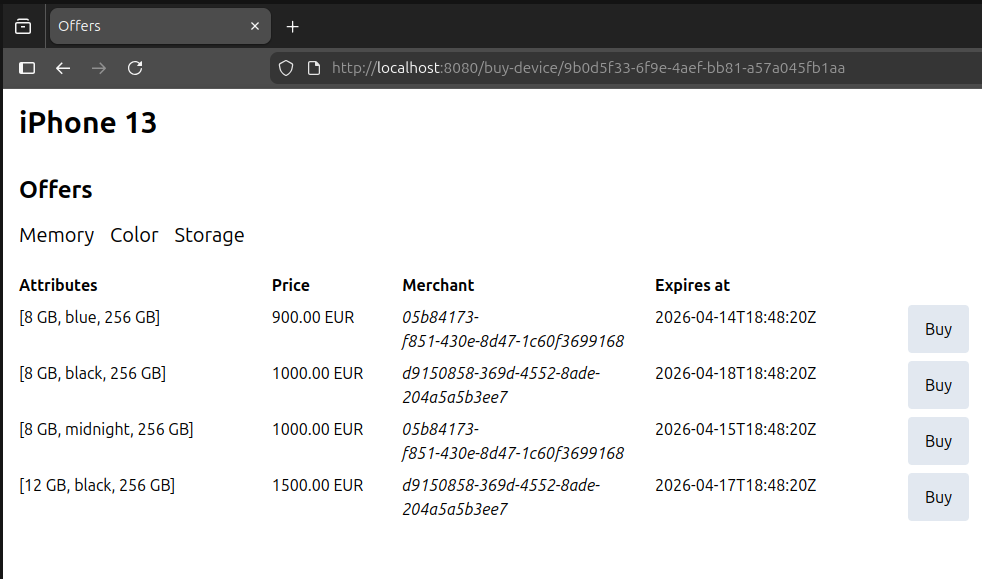
When we click on the Details or Buy option, the browser url is changed by HTMX using standard History API. At the same time, HTMX makes GET request to /devices/9b0d5f33-6f9e-4aef-bb81-a57a045fb1aa or /buy-device/9b0d5f33-6f9e-4aef-bb81-a57a045fb1aa accordingly. Content of the HTML element identified by app id is swapped with the HTML fragment, received from the server. As a result, we see a new HTML page without full page reload - in the exact same way as it works in the traditional, client-heavy & JSON-oriented SPAs.
HTML Web Components
This is a different strategy to develop Web Components where structure is fully or mostly defined in HTML; components just add behavior to it through JavaScript.
Using <drop-down> as an example (Mustache template):
<drop-down class="relative">
  <div data-drop-down-anchor class="absolute right-2 text-3xl">...</div>
  <div data-drop-down-options class="rounded border-2 whitespace-nowrap absolute mt-2 right-0 top-6 bg-white border rounded hidden z-99">
    <div class="p-2" hx-get="/devices/{{id}}" hx-push-url="true" hx-target="#app">{{devices-search-results.details-option}}</div>
    <div class="p-2" hx-get="/buy-device/{{id}}" hx-push-url="true" hx-target="#app">{{devices-search-results.buy-option}}</div>
  </div>
</drop-down>
As we see, there are anchor and options elements marked as data-drop-down-anchor and data-drop-down-options respectively. What then the <drop-down> is doing:
class DropDown extends HTMLElement {

  #hideOnOutsideClick = undefined;

  connectedCallback() {
    const anchor = this.querySelector("[data-drop-down-anchor]");
    const options = this.querySelector("[data-drop-down-options]");

    anchor.onclick = () => options.classList.toggle("hidden");

    this.#hideOnOutsideClick = (e) => {
      if (e.target != anchor) {
        options.classList.add("hidden");
      }
    };

    window.addEventListener("click", this.#hideOnOutsideClick);
  }

  disconnectedCallback() {
    window.removeEventListener("click", this.#hideOnOutsideClick);
  }
}
It does not alter HTML structure; instead, it enriches certain elements with a dynamic drop down behavior.
In the similar vein, there are a few more components implemented in this fashion:
Thanks to this approach, UI is mostly rendered on the server side, which gives us SEO and performance benefits. We reduce JavaScript that has to be written, since things are mostly done in HTML; and because it is handled primarily by the server, it is easier to test and verify its correctness. What are the drawbacks? There is more HTML to write and sometimes we might need to be aware of some styling dependencies - as in the <drop-down> example:
<drop-down class="relative">
  <div data-drop-down-anchor class="absolute">...</div>
  <div data-drop-down-options class="absolute mt-2 right-0 top-6 hidden z-99">
    ...
  </div>
</drop-down>
A few CSS properties have to be set - relative display for the parent, absolute for its children - on the <drop-down> to be displayed as expected, so one could argue that these are not really independent components with encapsulated behavior. But, we gain a lot of flexibility thanks to this philosophy - pretty much everything is configurable here, since only behavior is provided, not structure and styling. In the context of creating generic and reusable components, that is a tradeoff definitely worth taking. Especially considering the fact that if some patterns of styling and configuration repeat, nobody stops us from creating dedicated and more specific wrappers for such cases.
Errors & Validation
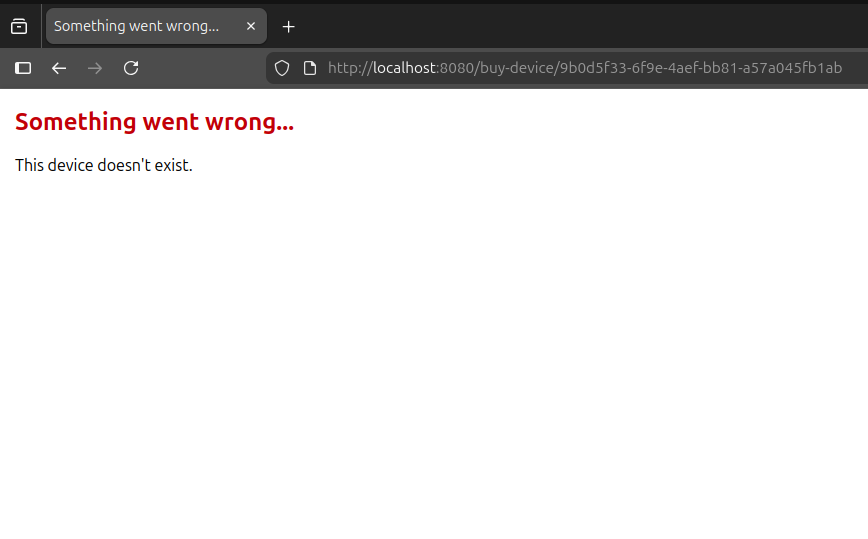
When the error is caused by a user entering an unsupported or otherwise problematic url (full page load), a dedicated error page with translated exception is displayed:
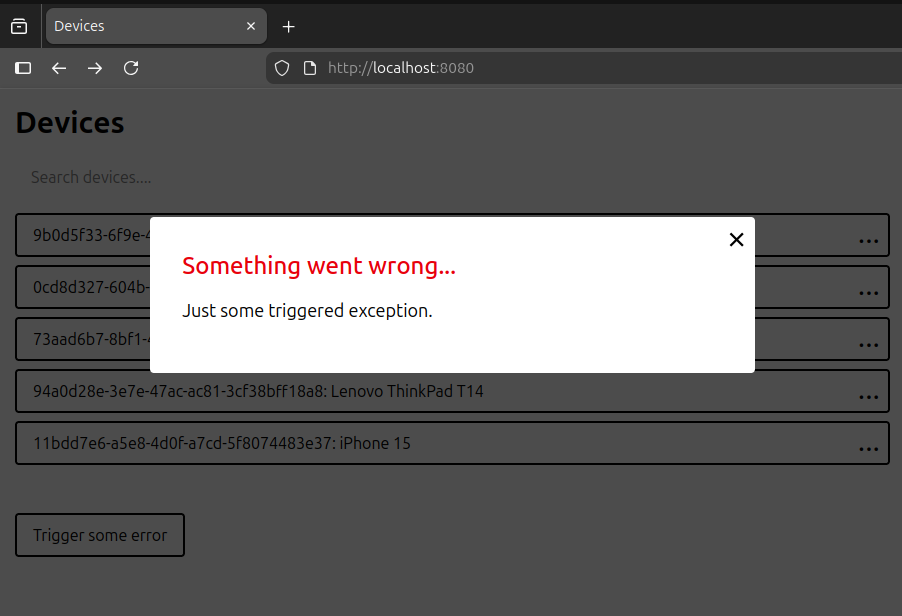
In most cases though, HTMX is fetching data and triggering mutations for us. When it fails - getting non-2xx code - we do the following:
<error-modal>
  ...
</error-modal>

...

<script>
document.addEventListener("htmx:afterRequest", e => {
  if (e.detail.failed) {
    const errorModal = document.querySelector("error-modal");
    const error = e.detail.xhr.response;
    const [title, message] = error.split("#");
    errorModal.dispatchEvent(new CustomEvent("error-modal-show",
      { detail: { title: title, content: message }}));
  }
});
</script>
In case of error, a translated error title and message is received, separated by the # sign. All we have to do is to publish a custom event that the <error-modal> listens to:
In inline validation cases, we would rather not hit the backend unnecessarily. For that, we have the <validateable-input> component that wraps a standard <input> element, allowing us to hide or show a validation error - depending on whether the configured validator returns true or false:

As mentioned, all these messages are translated into the user language - how does it work?
Translations
All translations live on the server, as the UI is rendered there; we have simple message_{locale}.properties files:
devices-page.title=Devices
devices-page.search-input-placeholder=Search devices...
devices-page.search-indicator=Searching devices...
devices-page.trigger-error-button=Trigger some error
User language is decided based on the standard Accept-Language header, but could also be resolved through cookie, query param or some user-specific settings/state stored on the server.
Testability
Another benefit of this strategy is improved testability - why is that?
Well, HTML pages and fragments are almost entirely generated on the server side. Sometimes, JavaScript is added through Web Components or inline scripts to enhance components with purely client-side behavior; this pattern is sometimes called Islands Architecture. To test and validate most of it, all we have to do is to write server integration tests of the kind:
@Test
void rendersFullDevicesPage() {
  var allDevices = deviceRepository.allDevices();

  var response = testRestClient.get()
    .uri("/devices")
    .retrieve()
    .toEntity(String.class);

  assertThat(response.getStatusCode())
    .isEqualTo(HttpStatus.OK);

  var document = Jsoup.parse(response.getBody());
  assertThat(document.select("html"))
    .isNotEmpty();

  var devicesElement = document.select("#devices");
  allDevices.forEach(device -> {
    assertThat(devicesElement.text())
      .contains(device.id().toString())
      .contains(device.name());

    var devicePageAttribute = "[hx-get=/devices/%s]".formatted(device.id());
    var buyDevicePageAttribute = "[hx-get=/buy-device/%s]".formatted(device.id());
    assertThat(devicesElement.select(devicePageAttribute))
      .isNotEmpty();
    assertThat(devicesElement.select(buyDevicePageAttribute))
      .isNotEmpty();
  });
}
In this way, we test pretty much all application layers at once:
- tests are defined together with the server code and are running in the same environment
- true HTTP requests are made to implemented by us server
- our server utilizes a real database
- data is transformed into the HTML page and returned to the client; in the ready to be displayed format
- we make assertions on the HTML content and format - validating that it has appropriate structure, attributes and data
True, it is not rendered in the real end user environment, but using jsoup (or a similar tool) we can have a high degree of confidence that it is going to be rendered by the browser as well.
What about UI states and components that utilize JavaScript to provide related functionality & behavior? There, I would use something like Playwright to write E2E tests, running in the actual browser, for the particular pages and UI states that could not be reliably and thoroughly tested with the integration tests alone. Thankfully, with the approach taken here these cases are rather rare - the vast majority of UI constitutes server-rendered HTML pages and fragments.
Development & Production
For local development, we simply start the server:
./mvnw spring-boot:run
In our particular case, we use Spring Boot Developer Tools configured as:
spring:
  devtools:
    restart:
      enabled: true
      poll-interval: 500ms
      quiet-period: 250ms
In a nutshell, whenever server's code is modified it gets recompiled almost immediately - we have hot/live reloading thanks to this; all we have to do is to reload the page in the browser and see recently made changes.
If a database is used, we additionally run it as a Docker/Podman container.
Since TailwindCSS is applied here as well, for the local development, the following script should be running:
npm ci

cd ops
./live-css-gen.sh

≈ tailwindcss v4.2.2

Done in 93ms
Done in 169µs
Done in 4ms
So that CSS is constantly regenerated, as we edit UI-related files.
For production, what would be ideal:
- bundled JavaScript - mostly Web Components - into a single/few file(s)
- hashed static assets (like components_a8049c1a.js) - JavaScript, CSS, images - so that they might be cached for as long as possible
- prepared self-contained app package - including these transformed assets - ready for deployment; containerized (or a binary), so that it could easily be deployed to the target environment
To support it, I have prepared two scripts. package_components.py takes all JS components and turns them into a single components_{hash}.js file. build_and_package.bash generates CSS with the help of @tailwindcss/cli tool, calls package_components.py to package & hash components, builds the server in Docker and creates ready to be deployed, self-contained Docker image of our app - with all frontend assets and backend/server code required to run it. We just then need to copy dist/load_and_run_app.bash & dist/run_app.bash scripts together with the modern-frontend-complexity-alternative.tar.gz gzipped Docker image to our prod environment and run:
bash load_and_run_app.bash

Loading modern-frontend-complexity-alternative:latest image, this can take a while...
Loaded image: modern-frontend-complexity-alternative:latest
Image loaded, running it...
Stopping previous modern-frontend-complexity-alternative version...
modern-frontend-complexity-alternative
Removing previous container....
modern-frontend-complexity-alternative

Starting new modern-frontend-complexity-alternative version...

e12ff5c2d81e933560e2a8a974b79654cfe219c43b5a47995c576ab1a562ccf8

docker logs modern-frontend-complexity-alternative

  .   ____          _            __ _ _
 /\\ / ___'_ __ _ _(_)_ __  __ _ \ \ \ \
( ( )\___ | '_ | '_| | '_ \/ _` | \ \ \ \
 \\/  ___)| |_)| | | | | || (_| |  ) ) ) )
  '  |____| .__|_| |_|_| |_\__, | / / / /
 =========|_|==============|___/=/_/_/_/

 :: Spring Boot ::                (v4.0.3)

2026-04-11T05:55:52.297Z  INFO 1 --- [           main] c.ModernFrontendComplexityAlternativeApp : Starting ModernFrontendComplexityAlternativeApp v0.0.1-SNAPSHOT using Java 25.0.2 with PID 1 (/modern-frontend-complexity-alternative.jar started by root in /)
2026-04-11T05:55:52.301Z  INFO 1 --- [           main] c.ModernFrontendComplexityAlternativeApp : No active profile set, falling back to 1 default profile: "default"
2026-04-11T05:55:53.003Z  INFO 1 --- [           main] o.s.boot.tomcat.TomcatWebServer          : Tomcat initialized with port 8080 (http)
2026-04-11T05:55:53.012Z  INFO 1 --- [           main] o.apache.catalina.core.StandardService   : Starting service [Tomcat]
2026-04-11T05:55:53.012Z  INFO 1 --- [           main] o.apache.catalina.core.StandardEngine    : Starting Servlet engine: [Apache Tomcat/11.0.18]
2026-04-11T05:55:53.033Z  INFO 1 --- [           main] b.w.c.s.WebApplicationContextInitializer : Root WebApplicationContext: initialization completed in 683 ms
2026-04-11T05:55:53.298Z  INFO 1 --- [           main] o.s.boot.tomcat.TomcatWebServer          : Tomcat started on port 8080 (http) with context path '/'
2026-04-11T05:55:53.305Z  INFO 1 --- [           main] c.ModernFrontendComplexityAlternativeApp : Started ModernFrontendComplexityAlternativeApp in 1.372 seconds (process running for 1.736)
Tradeoffs & Improvements
What are the drawbacks?
If we come with the traditional SPA mindset, it is quite a shift in thinking. Instead of designing and consuming REST API endpoints, responses of which we then must transform on the client side, most data is rendered on the server and received in the ready-to-be-displayed format by the browser. Additionally, we mostly work with the native browser APIs instead of relying on framework-specific ways - which is a big advantage, since native APIs have a much longer shelf life than the current version of React, Vue, Angular or Svelte.
There is no transpilation & polyfillation step. A very limited JavaScript is written - only for Web Components and some event listeners, making the UI more interactive, so it is not a problem. But that is the fact - without this step, which simplifies tooling a lot, we must choose used JS features more consciously, so that it runs in all our target environments.
Some tooling must be built. Since in this architecture source code mostly reflects what later runs in browser runtime, required tooling is minimal. In fact, if we have just a few Web Components, there is not really a need to bundle them - several HTTP requests for static files are not a problem, it will be quite performant. But, if their number grows it is better to bundle them into a single file. Same is true for hashing all static assets - adding suffixes - so that they might be cached more efficiently. On the other hand, this lower level strategy could be considered an advantage - we are more aware of how the browser processes our files and are in full control of it. Also, significantly fewer transformations are required overall, just because this approach is more aligned with how browsers work, processes and manipulate HTML documents.
For potential improvements, it would be nicer to have hot/live reloading where our browser tab is automatically refreshed and we do not have to do it manually; tooling is still not there, but definitely feasible to build. A library of reusable HTML Web Components and server-side templates would be of a great benefit as well - right now (as I am aware) there are no ready to be used components built in a way presented here, so currently it is on us to create them. Simply put, the ecosystem is not there yet.
There is a simpler way
As we have learned, what started as simple, but world-wide, static documents sharing (the web), ended up as a highly complex runtime (browsers), allowing us to build almost any application and rivaling possibilities of native environments.
Along the way, we went through a few different phases and approaches to build those increasingly more interactive websites and applications. First, there were Multi Page Applications (MPAs) sprinkled with just some JavaScript here and there to make them more interactive. Then, people started to experiment with Single Page Applications (SPAs), where there is no full page reloads and pretty much all data transformations and UI state transitions are handled in the thick & complex JavaScript layer, running entirely on the client side.
Currently, we live in the JavaScript-heavy reality, where browser runtime looks completely different from source code files we work on. It has led to massive increase in complexity of tooling required to develop and build those applications - lots of transformations must be made for apps created with this approach to work in the browser - what the runtime understands and what we work on - source code files - is often totally different. Additionally, there are many new concepts that must be understood and mastered in order to work proficiently with these tools. Complexity has reached a tipping point here; although it is becoming more hidden in the increasingly elaborate tooling.
There is a simpler way.
We can utilize HTMX, HTML Web Components and a templating language to build websites and apps in a way much more aligned with how the browser works - without sacrificing user experience, complex features or developer experience.
I then invite you to experiment with this simpler alternative: let's destroy the Tower of Babel Complexity and make web development simple and productive again!
Notes and resources
- Relevant history context: From Multi to Single Page Applications
- Repo with the discussed source code: https://github.com/BinaryIgor/code-examples/tree/master/modern-frontend-complexity-alternative
- Vigilant reader might notice that I did not have any images in my examples, so in reality, production scripts might become more complex. Well, it is not actually that difficult. We could do something as simple as:
- have dedicated images directory
- generate random hash for each image, so they can be cached for the longest possible time, in the same way as we do with JavaScript files -
image.jpgbecomesimage_a46v98bc.jpgfor example - replace all occurrences of
images/image.jpgin our UI source code files withimages/image_a46v98bc.jpg
- The complexity of modern frontend stacks:
- Complexity: Accidental or Essential? https://www.iankduncan.com/engineering/2025-05-26-when-is-complexity-accidental/
- HTML Web Components:
- How powerful the modern CSS is: https://modern-css.com
- Polyfills: https://javascript.info/polyfills, Babel: https://babeljs.io and PostCSS: https://postcss.org
- Prefer native web technologies: https://blog.jim-nielsen.com/2020/cheating-entropy-with-native-web-tech/